


13 Apr Video Email Marketing: How to Use Video in Email to Double Your Reply Rates
The data on video in email is not subtle. Emails with video thumbnails see a 34% higher click-through rate than those without. Average conversion rates jump from 5.4% to 9.1% when video is present. Personalized video in email generates 16x higher click-to-open rates than generic video. And simply including the word “video” in a subject line boosts opens by 19%.
These aren’t marginal improvements. For most email programs, hitting those numbers would represent a meaningful shift in how much revenue a single campaign drives.
The gap between what video does in email and how widely it’s actually used suggests there’s still first-mover value for teams that set it up correctly. This guide covers what’s working, how to implement it, and where most programs miss the performance available to them.
What Video Email Marketing Actually Means
Before getting into mechanics, the term is worth defining. “Video email marketing” covers a range of approaches that produce very different results:
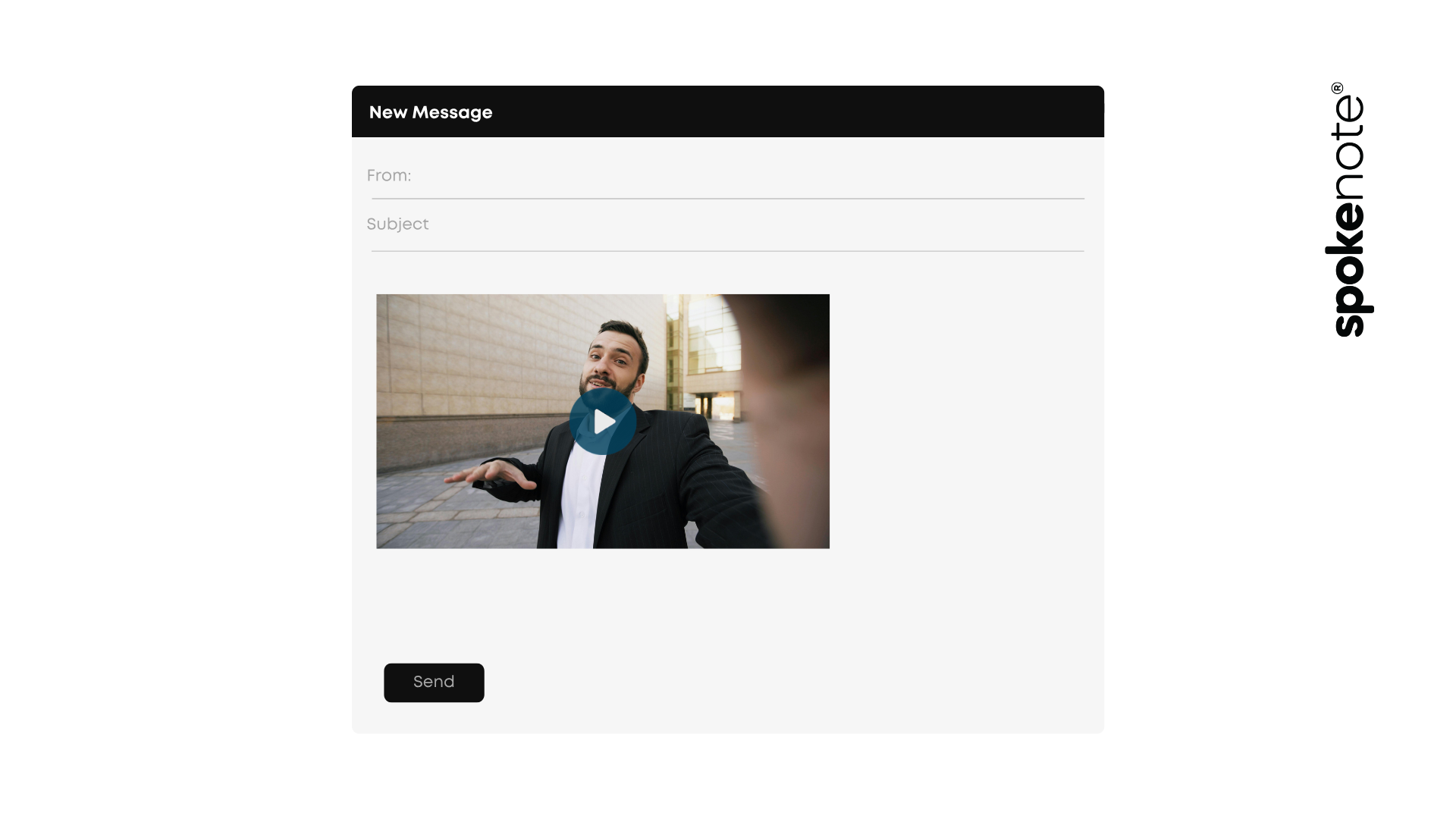
Linked video thumbnails are the most common implementation. You insert a still image from the video into the email body, often with a play button overlaid, and link it to a hosted video page. When the recipient clicks, they’re taken to a landing page or video platform where the video plays. This is what most email clients support, and it’s where most of the benchmark data above comes from.
Animated GIFs can create a sense of motion without requiring the recipient to leave the inbox. They’re useful for product demos and short teasers but limited in length and quality.
Personalized video is the high-performance end of the category. Rather than a single video sent to everyone on the list, each recipient receives a version that references their name, company, or specific situation. The click-to-open rates for personalized video in email run 16x higher than generic video, and viewers are 35% more likely to complete a personalized video than a generic one.
AI-generated or stock video content may look like video but doesn’t carry the human presence signal that drives the performance numbers. Generic explainer videos in emails are visually different from text, but they don’t activate the social attention circuits that personalized human video does.
For teams optimizing toward reply rates and conversions, the hierarchy is clear: personalized human video outperforms generic video, which outperforms static images, which outperforms text-only.
The Subject Line Effect
The word “video” in an email subject line increases opens by 19% and decreases unsubscribes by 26%. These are meaningful numbers for a change that takes three seconds to implement.
The mechanism is straightforward: subject lines that promise something different from the normal inbox experience stand out. In a channel where the brain has been trained to filter out commercial signals,”Video message for you” or “I recorded something for you” break the pattern of subject lines that all say some version of “here’s why you should buy/read/engage.”
A few things worth knowing about subject line optimization for video email:
First, the lift only works when the video is actually personalized or genuinely relevant to the recipient. A subject line promising a personal video that leads to a generic product overview is a trust violation that will increase unsubscribes in subsequent campaigns.
Second, the open rate boost from “video” in the subject line is not a long-term trick. As more teams use it, it will normalize. The sustainable version of this is making the video genuinely worth opening, which means personalization and relevance, not just a thumbnail.
Third, the subject lines generating the highest sustained open rates in 2025 video email campaigns are shorter and more specific. “I made this for you, [first name]” or “[Company]: a quick video on [specific topic]” consistently outperforms generic click-bait subject lines.
The Technical Setup That Actually Works
Most email clients don’t support inline video playback. Attempting to embed a video directly in an email will either not render, or trigger spam filters. The correct approach is thumbnail-to-landing-page.
Step 1: Host the video on a platform that handles the player experience, tracks viewing data, and provides a page you can send recipients to. Platforms like Vidyard, Wistia, and Spokenote all handle this. The hosted page becomes your conversion surface, not just a video player.
Step 2: Generate a compelling thumbnail. The thumbnail is what the recipient sees before clicking, and it’s the primary driver of CTR. A thumbnail with a real person’s face, eye contact, and a visible play button consistently outperforms screenshots, product images, or text-based thumbnails. Research shows thumbnails with a face and a play button drive higher CTR than any other thumbnail format.
Step 3: Write the email around the video. The email body should be short. Three to five sentences introducing what the video covers, why this specific recipient would find it useful, and a clear prompt to watch. Don’t explain the video in full in the email. That removes the incentive to click.
Step 4: Track engagement downstream. The real value of video email over standard email is the richness of the engagement data. You can see who opened, who clicked, how long they watched, and at what point they stopped. This data should feed directly into your CRM for segmentation and follow-up sequencing.
How Long Should the Video Be?
The answer depends on where the video sits in the customer journey, but some numbers are clear.
68% of marketers say their highest CTRs come from videos under 90 seconds. Videos under 60 seconds receive 42% more engagement than longer ones in the email context. For cold or warm outreach where the relationship is not yet established, 60–90 seconds is the ceiling.
For existing customers, post-purchase, or relationship maintenance contexts, up to two to three minutes is acceptable. For major gift cultivation or complex B2B sales follow-up where the recipient is expecting depth, longer video can work. But “longer” is earned, not assumed.
The pattern that works across contexts: open with the most compelling thing you can say in the first ten seconds, make the personal reference early, and end with one specific call to action. Don’t bury the lead and don’t scatter the close.
Where Video Email Performs Best
Cold outreach in B2B. A short personalized video in a cold email to a qualified prospect generates 3–5x higher reply rates than text-only cold email. The investment in a 60-second personalized recording returns measurable results within the first campaign cycle.
Post-event or post-webinar follow-up. A video from the speaker or host referencing the event, sent to attendees within 24 hours, produces significantly higher click and reply rates than a standard text follow-up email.
Nonprofit donor thank-you. First-time donor thank-you videos achieve open rates above 65% and drive 34% higher second-gift retention rates. This is the highest-ROI application of video in email for most fundraising programs.
Admissions and enrollment. Personalized video acceptance messages in email outperform standard acceptance communications across every measured dimension. Villanova University’s 85% open rate and Fisher College’s 67.6% are benchmarks from real campaigns.
Onboarding and customer success. Welcome videos from a named customer success manager, sent on day one, set the relationship tone and reduce early churn. Video-based onboarding emails show measurably higher product activation rates than text-only sequences.
What Not to Do
Most video email programs underperform not because video doesn’t work but because they make a few consistent mistakes:
Sending generic video to everyone. The 16x higher click-to-open rate for personalized video versus generic video is the key number. If everyone gets the same video, you’re falling into the same personalization trap that plagues email text. You’re capturing some of the format benefit but leaving most of the performance on the table.
Embedding video directly. It doesn’t render in most email clients and damages deliverability. Always link to a hosted video.
Too long. Videos over two minutes in an email context significantly reduce completion rates. Edit to the point where cutting more would reduce meaning.
No follow-up system. The watch-time data from video is the most valuable signal in your email stack. A recipient who watched 85% of your video and didn’t reply is a higher-priority follow-up than someone who opened and immediately closed. Build the follow-up logic around this data.
Getting the First Campaign Right
Start with one list segment where you have a strong data reason to believe video will outperform what you’re currently sending. Warm prospects who’ve engaged with prior content, lapsed donors who haven’t given in 12 months, or admitted students approaching deposit deadline are all high-value first applications.
Record a short, specific video. Set up the thumbnail and hosted page. A/B test against your current text email for the same segment. Track not just opens but watch time, click rate, and most importantly conversion.
The data will tell you where to expand next.
Spokenote handles the personalization layer and data-merge for teams running these programs at scale. The how it works page covers the mechanics. Success stories show campaign results across admissions, nonprofit, and B2B contexts.